 Sphinx
Stock metadata, written for you
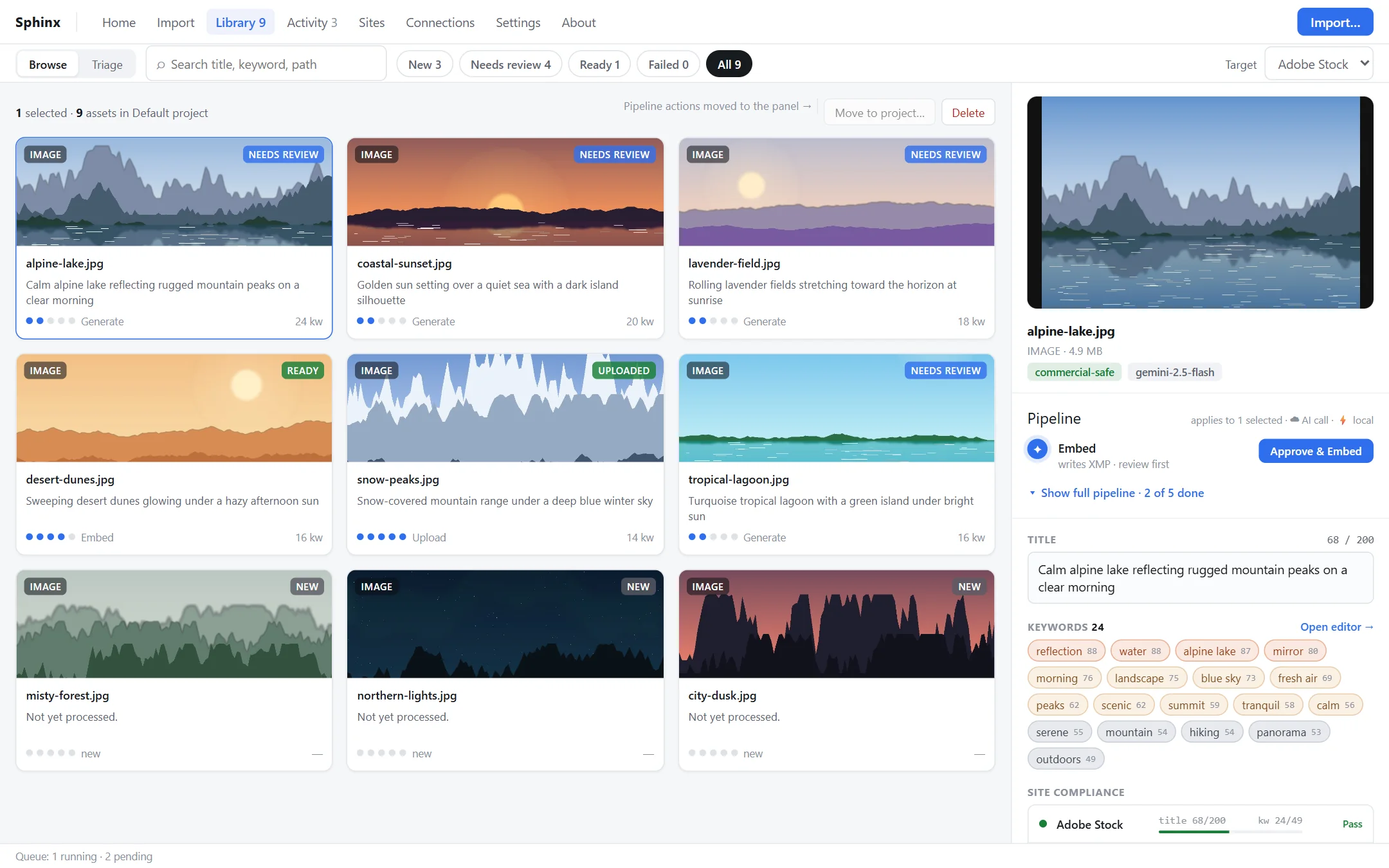
Sphinx looks at your photos and videos, writes titles, descriptions and keywords, fits them to every stock site's rules, embeds them into your files and uploads them for you.
Screenshots use demo data.
From a folder of shots to submitted, in one app
Everything a stock contributor does after the shoot (describing, keywording, fitting each site's limits, embedding and uploading) in one place.
AI that sees your work
Choose OpenAI, Google Gemini or Anthropic Claude, or run a local Ollama model so nothing leaves your machine.
Fitted to every site
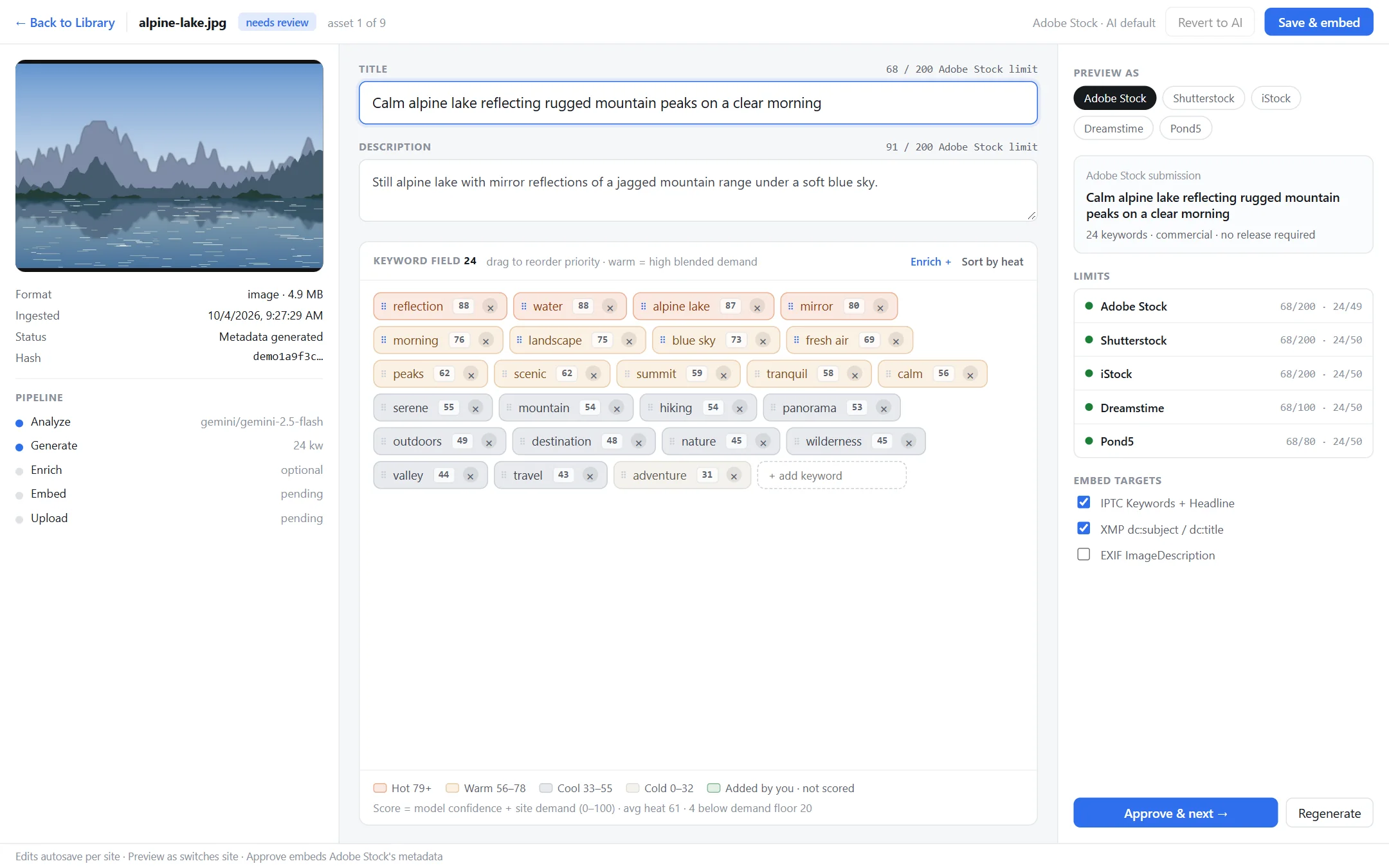
Title lengths and keyword counts checked against Adobe Stock, Shutterstock, iStock, Dreamstime, 123RF, Pond5 or your own custom sites.
Keywords that rank
Every keyword is scored and colour-coded. Reorder, remove or restore them, or enrich them with real search demand from Shutterstock and Adobe Stock.
Edits per site
Tune metadata separately for each site. Edits save automatically, and you choose whether to carry them over when you switch sites.
Embed or export
Writes IPTC/XMP straight into your files with ExifTool, or exports each site's CSV upload format.
Upload & batch
Delivers files over SFTP or FTPS to your contributor accounts, and processes whole batches in a queue you can watch, retry and clear.
Four steps, most of them automatic
Point Sphinx at your files and review the results. It handles the repetitive parts.
Import
Add files or a folder, or let Sphinx watch a folder for new exports. Duplicates are skipped.
Analyze
The AI describes each image or video and suggests a title, description and keywords.
Review
Approve suggestions quickly with keyboard shortcuts, or fine-tune them in the editor for each site.
Deliver
Embed the metadata into your files, then upload or export a CSV for each site.
A closer look
Screenshots use demo data.
Your work stays yours
Sphinx is a desktop app, not a service. There's no account to create and no server in the middle: it talks only to the services you choose.
- No telemetry or tracking. Your library lives in a local database on your computer.
- Keys and passwords in your OS keychain: Windows Credential Manager, macOS Keychain or the Linux Secret Service. Never stored in plain text.
- Go fully local with Ollama. Analyze media on your own GPU without sending a single file to the cloud.
- Open source. Read every line on GitHub.
Get Sphinx
Free for Windows, macOS and Linux.
PATH, or you can point to them under Connections → Local tools.